Image Transformations
Rotate, Scale, Warp
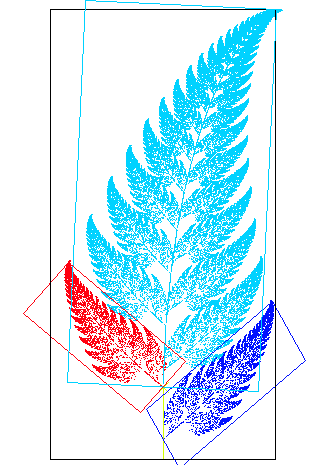
Pick a leaf from this fern. Now look at the whole plant. The leaf is the plant, only smaller, turned a little, and slid into place.
Michael Barnsley discovered that an entire fern, vein for vein, can be drawn with just four rules. Each rule says: shrink, rotate, lean, and move. Nothing else. From four such instructions, applied over and over to a single dot, the fern blooms.
Every rotation, zoom, lean, and slide in computer vision is the same arithmetic: a small matrix that tells each pixel where to go next.
When you rotate a photo on your phone, the picture does not actually spin. The phone keeps the same grid of pixels and asks a quieter question for each one: which color from the old image belongs here now? A geometric transformation is exactly that map: a rule that takes the coordinate of an output pixel and tells you where to look in the input. Translate, rotate, scale, shear, warp; each is just a different rule, and the most useful of them all fit inside one tidy little matrix.
Drag the rotation, scale, and shear sliders below and watch the matrix on screen rebuild itself in real time. Look for the moment a 90-degree rotation turns the off-diagonal cells into clean values, and notice that no matter how hard you slant the image, straight lines stay straight and parallel edges stay parallel. Then tap 📷 Camera and warp your own live frame.
[x', y', 1]ᵀ = M · [x, y, 1]ᵀ What you just felt is the defining property of an affine transformation: it can stretch, spin, and skew the plane however it likes, but it will never bend a straight line or split a pair of parallels apart. Distances and angles are fair game; straightness and parallelism are sacred. That single guarantee is what makes affine maps the workhorses of image warping.
The transformation matrix
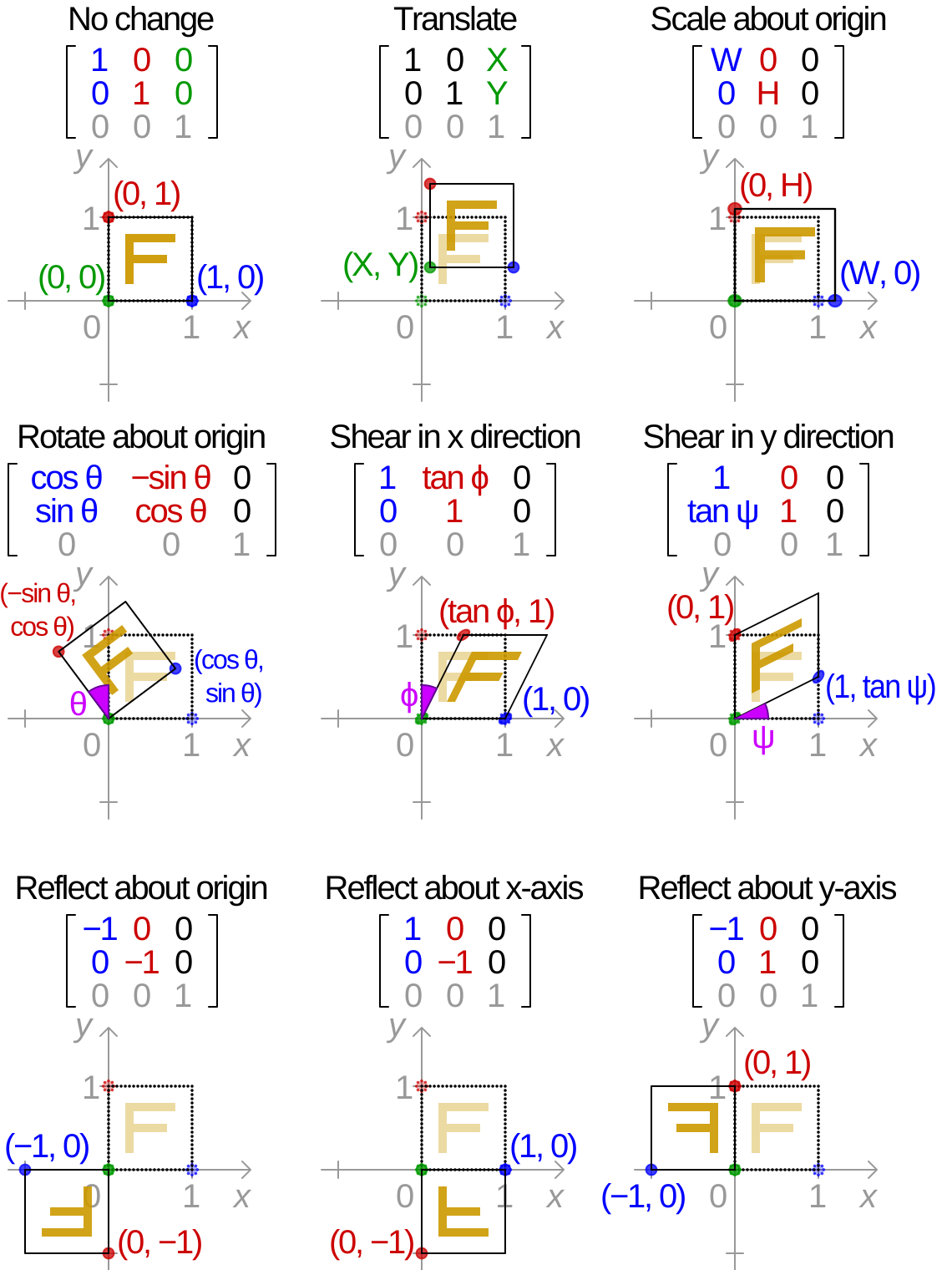
In linear algebra, any linear transformation that sends a vector to a new vector can be written as a matrix multiply:
Here is a pixel's coordinate written as a column , and is the transformation matrix that does the work. The entries of are the entire personality of the transform: one set of four numbers spins the image, another zooms it, another shears it.
A pure rotation by angle , for instance, is
where is the turn angle and the sines and cosines simply mix the old and in the right proportion to swing the point around the origin.
Why translation needs a third row
There is a catch hiding in . A 2x2 matrix can rotate, scale, and shear, but it can never move the origin: feed it and you always get back. Yet shifting an image sideways is the most basic transform of all. The fix is the trick that quietly powers all of computer graphics: homogeneous coordinates.
Tack a onto every coordinate so becomes , and the transform grows into a 2x3 matrix:
The left four entries carry the rotation, scale, and shear; the new column is the translation, the slide in each direction. Because that rides along, the translation gets added in on every multiply. This is the precise shape OpenCV expects in cv2.warpAffine: a 2x3 matrix. Three classic special cases:
- Translation sets and the rest of the linear part to zero, leaving only to do the sliding.
- Scaling puts and on the diagonal so each axis stretches independently.
- Shear plants a single off-diagonal term so the image leans like italic type.
An affine transform is fundamentally a linear part plus a translation. That is the whole secret behind the formal definition: unlike a purely linear map, an affine map need not pin the origin in place. Every linear transformation is affine, but not every affine transformation is linear.
When parallels break: perspective
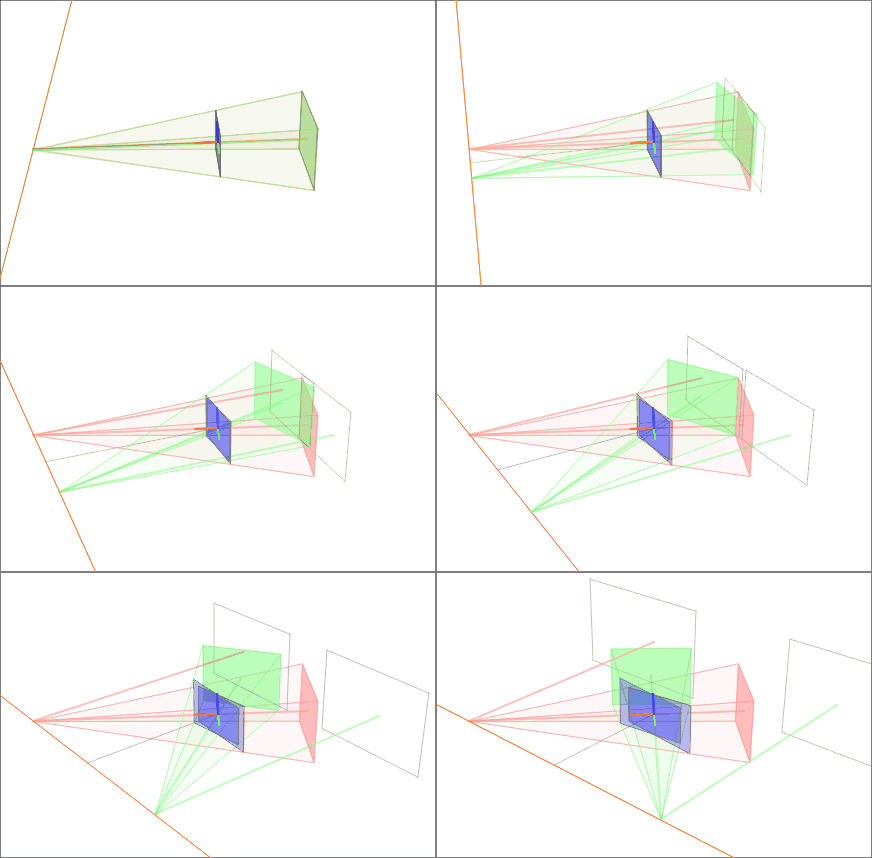
Affine maps keep parallel lines parallel. But hold a phone up to a tall building and the vertical edges visibly converge toward the sky. Photograph a page of text at an angle and the rectangle becomes a lopsided trapezoid. To straighten those, you need a transform that is allowed to break parallelism: a perspective transformation, also called a homography.
A homography is a 3x3 matrix, and the extra freedom is exactly what lets it simulate a change of 3D viewpoint on a flat plane. It is the engine behind document scanners that snap a skewed photo back into a crisp rectangle, panorama stitchers that fuse overlapping frames, and augmented-reality apps that glue a virtual poster onto a real wall. The next lesson dissects the homography in full; for now, the boundary line is what matters. Affine preserves parallels; perspective surrenders them in exchange for the power to mimic depth.
A close relative of this idea is image rectification: reprojecting one or more images onto a common plane. In stereo vision, rectification warps a pair of camera views so that matching points fall on the same horizontal row, collapsing the search for correspondences from a 2D hunt into a 1D scan along a line.
Filling the gaps: interpolation
Here is the inconvenient truth of every warp. When you rotate by 30 degrees, the output pixel at row 100, column 100 almost never maps back to an exact integer location in the input. It lands at something like , between four real pixels. The transform tells you where to look; interpolation decides what color you actually find there.
- Nearest neighbor grabs the single closest pixel. It is fast and preserves hard edges, but produces blocky, staircased diagonals.
- Bilinear blends the four surrounding pixels by distance, giving smooth results, and is OpenCV's default for
warpAffine. - Bicubic weighs sixteen neighbors with a cubic curve for the sharpest, most faithful resampling, at the highest cost.
Solve for an affine matrix from three point matches
An affine transform in 2D has six unknowns: . Each point correspondence between source and destination gives you two equations:
Six unknowns, two equations per match, so three non-collinear point pairs pin the matrix down exactly. Stack the three correspondences into a linear system and solve. This is precisely what cv2.getAffineTransform(src_pts, dst_pts) does: hand it three before-and-after points and it returns the 2x3 matrix that carries the whole image from one to the other.
A perspective transform has eight degrees of freedom (the 3x3 homography is defined up to scale), so it needs four point matches instead of three. That is why a document scanner asks you to tap the four corners of the page: four corners, eight equations, one homography that flattens the trapezoid back into a rectangle.
The ratio-preserving heart of affinity falls out of the linear part too. For any three collinear points, an affine map preserves the ratio in which the middle point divides the segment, even though it does not preserve the raw distances. That single invariant, ratios along a line, is the formal fingerprint of an affine transformation.
Key takeaways
- A transformation is a coordinate map, not a pixel push. For each output pixel it answers "where in the input does my color come from?" and samples there.
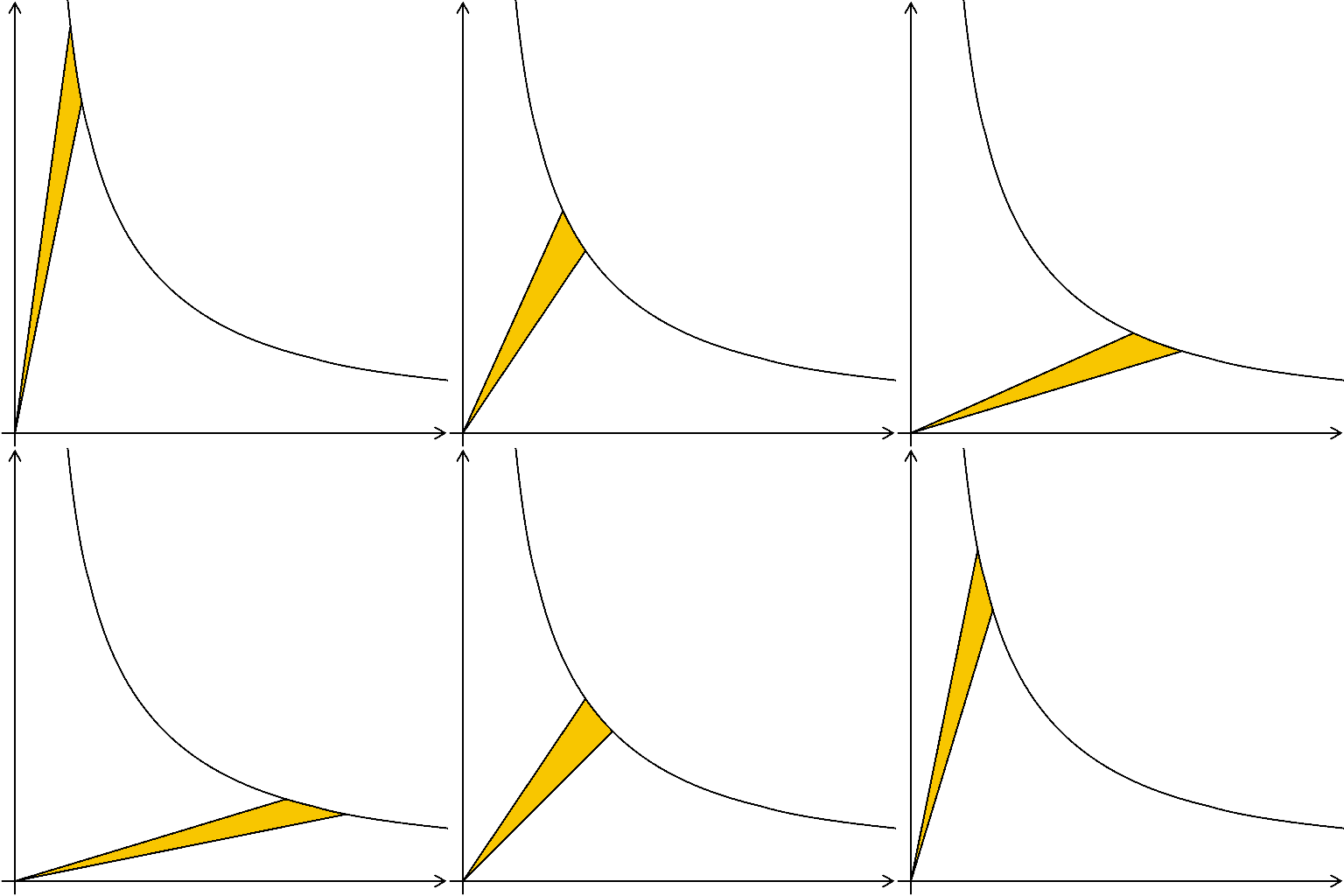
- Affine transforms preserve straightness and parallelism (and ratios along a line), but freely alter distances and angles. Rotation, scaling, shear, and translation are all affine.
- Homogeneous coordinates (the trailing ) fold translation into the matrix, turning the 2x2 linear part into the 2x3 form OpenCV's
warpAffineexpects. - Perspective transforms surrender parallelism to gain the power to mimic 3D viewpoint changes; they straighten documents, stitch panoramas, and rectify stereo pairs.
- Interpolation fills the in-between. Nearest neighbor is fast and blocky, bilinear is the smooth default, bicubic is sharpest and slowest.
Barnsley's fern taught us that a living, intricate shape can hide inside four small matrices. Every warp in this chapter is a humbler version of that same magic: a handful of numbers deciding where each point of the world should land. Rotate, scale, shear, slide; the picture changes utterly, yet the lines stay true and the parallels stay faithful. Shapes change their pose, but an affine transform keeps them, always, in the family.