Camera Matrix & Projection
The Math of Seeing
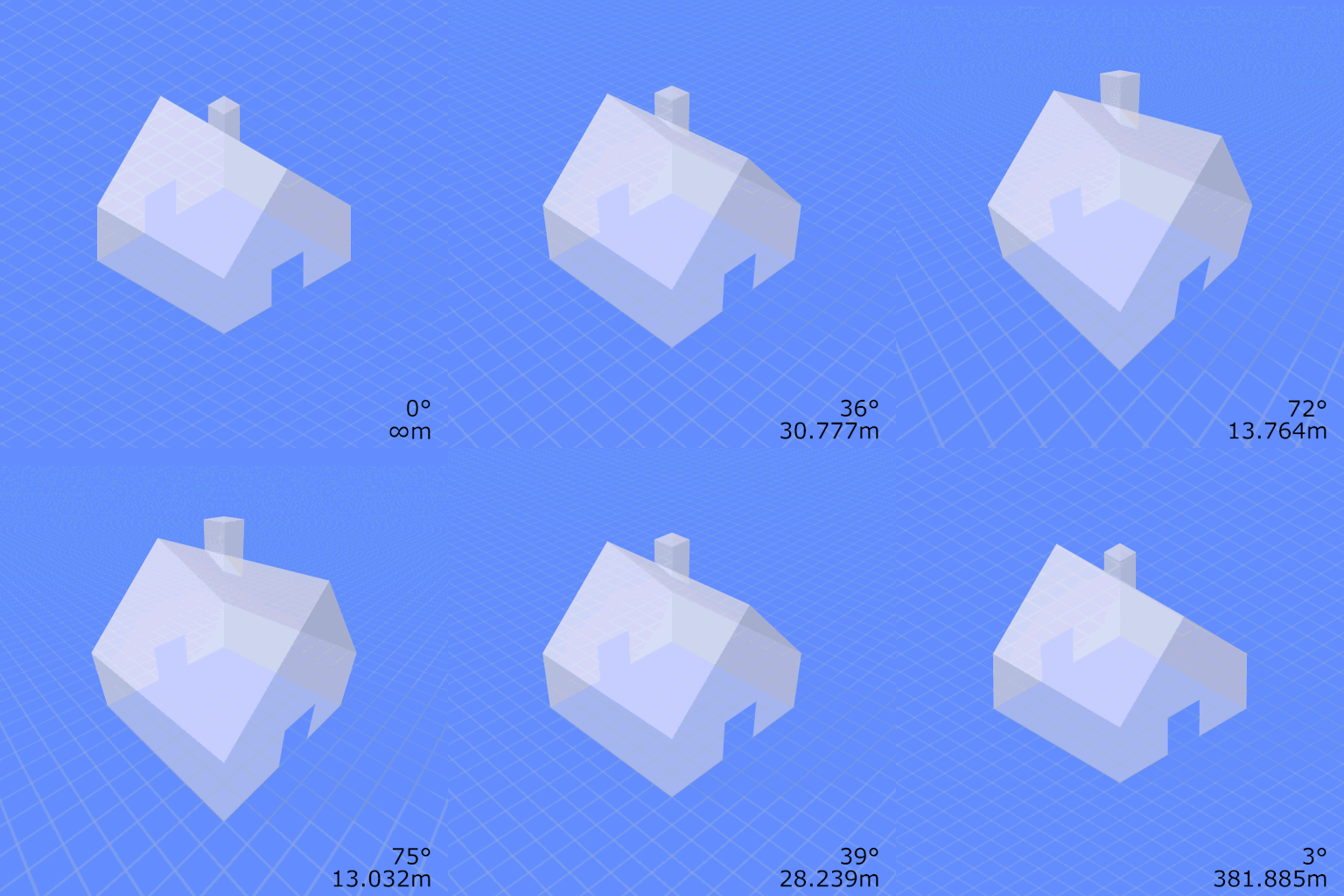
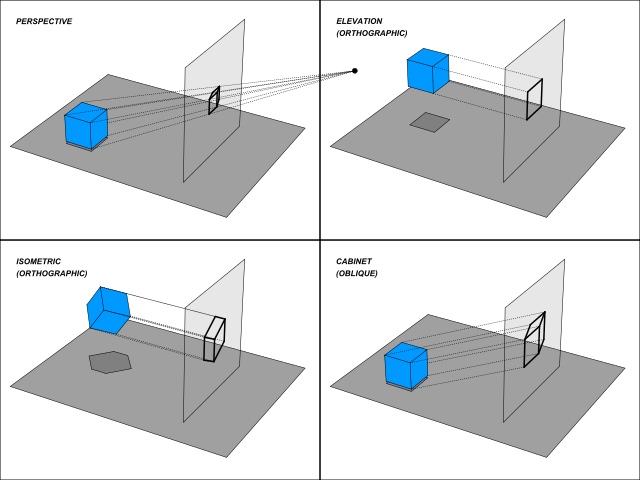
A camera is a machine that destroys a dimension. The world has three: width, height, depth. The photograph has two. Somewhere between the lens and the sensor, depth is thrown away, and a glowing point of light gets pinned to a single pixel.
Yet we still recover so much. We read a face, judge a distance, reach for the right cup. The astonishing thing is not that information is lost. It is that the loss is lawful: a clean, repeatable rule maps every point in the room to exactly one cell on the chip.
That rule is a matrix, and learning to read it is learning to read the camera's mind.
Every camera, from the one on your phone to the rover squinting at Martian rock, carries a hidden personality: how long its focal length is, where the center of its image actually sits, whether its pixels are perfectly square. We bundle that personality into a small grid of numbers called the camera matrix. Feed it a 3D point and it tells you, with no guessing, which pixel that point lands on.
x = fₓ · (X/Z) + cₓy = f_y · (Y/Z) + c_y Drag the fx, fy focal lengths and the cx, cy principal point in the simulator and watch where the 3D cube lands on the image plane. Then tap 📷 Camera and deliberately mis-set the calibration: look for the moment the wireframe slides right off the scene, the way a poorly fit pair of glasses pushes the whole world sideways. What you are feeling is the difference between a camera that knows itself and one that does not.
Notice what changes and what does not. Moving cx, cy slides the entire projected cube as a rigid block, because you are just relabeling where "the middle" is. Changing fx, fy instead scales the cube about that center, zooming without anything in the world moving. Those are the two distinct jobs the camera matrix does, and seeing them split apart on screen is the whole lesson in miniature.
From geometry to a single equation
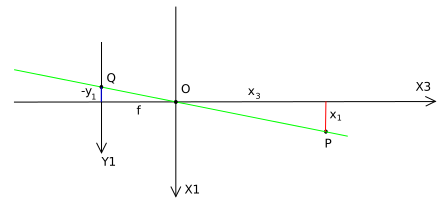
In the previous chapter the pinhole gave us perspective by similar triangles: a point at depth projects with . That divide-by- is what shrinks distant things. The trouble is that division is awkward to chain through the long pipeline of a real imaging system, where the world is rotated, translated, projected, then converted into pixel rows and columns.
The fix is a trick of bookkeeping called homogeneous coordinates. We pad each point with one extra coordinate: a 2D point becomes and a 3D point becomes . The payoff is that perspective projection, which is fundamentally nonlinear because of that division, turns into plain matrix multiplication. The division is deferred to the very end, where we "dehomogenize" by dividing through by the last coordinate.
With that in hand, the mapping a camera performs collapses to one line:
Here is the world point in homogeneous coordinates (a 4-vector), is the camera matrix, and is the resulting image point (a 3-vector). The symbol means "equal up to scale": both sides describe the same pixel even if one is multiplied by some nonzero number , because and point at the identical location once you divide by the last coordinate. That little squiggle is doing real work; it is why a camera matrix has only 11 true degrees of freedom rather than 12, since scaling the whole matrix changes nothing you can see.
The intrinsic matrix K: the camera's inner life
Split the camera matrix into two factors and its personality and its pose come cleanly apart. The first factor, the intrinsic matrix , captures everything internal to the camera: the bits that stay fixed no matter where you carry it.
Reading it symbol by symbol: and are the focal length measured in pixels along the horizontal and vertical directions. They can differ if the sensor's pixels are not perfectly square, which is why there are two. and are the principal point: the pixel where the optical axis pierces the sensor, almost always near the image center but rarely exactly at it. The lone in the corner is the scaffolding of homogeneous coordinates, the placeholder that makes the multiplication close.
A camera-coordinate point projects through to
and then the final pixel is . The divide-by- you saw in the pinhole chapter is still there; it just waited politely until the last step. This is exactly the slider behavior in the simulator: scale, shift.
Extrinsics [R | t]: where the camera stands
The world does not arrive in camera coordinates for free. Before can do its job, the scene has to be expressed from the camera's point of view, and that depends entirely on where the camera is sitting and which way it is looking. Those facts are the extrinsic parameters: a rotation matrix for orientation and a translation vector for position. Stacked side by side as , they form the rigid transform that carries a world point into the camera's own frame.
These are the parameters that change the instant the camera moves. Walk across the room and updates; the intrinsics do not care. That clean separation, internals that are calibrated once versus a pose that is re-estimated every frame, is the conceptual spine of structure from motion, visual odometry, and SLAM.
Stir intrinsics and extrinsics together and you get the full mapping from a world point to a pixel :
The product is the complete projection matrix: the single object that takes any point in the world and tells you its pixel, no further questions. Everything we have built in three chapters lives inside those twelve numbers.
Calibration: teaching a camera its own matrix
Where do these numbers come from? You measure them. Camera calibration is the act of estimating (and lens distortion) by showing the camera something whose geometry you already know, classically a printed checkerboard. The recipe is short:
- Photograph a known pattern from several angles.
- Detect the pattern's corners in each image.
- Solve for the , , and that make the projected corners match the detected ones as closely as possible.
In OpenCV this is one call, calibrateCamera(), which returns the intrinsics, the distortion coefficients, and a pose for each photo. The checkerboard works because its corners are unambiguous and lie on a perfect grid, giving the solver clean, plentiful constraints. Skip calibration and every downstream measurement, every distance and every reconstructed point, inherits a silent bias.
For the advanced reader → why the matrix has exactly 11 degrees of freedom
The full projection matrix is , so it has 12 entries. But recall the relation only holds up to scale:
Multiplying the entire matrix by any nonzero constant produces an equivalent camera, because the final dehomogenization divides that constant right back out. So one global scale is unobservable, and free parameters remain.
You can also count them by source. The intrinsics contribute , and a fifth, a skew term in the top-right of that we set to zero for modern square-pixel sensors, so 4 to 5 there. The extrinsics contribute 3 for rotation (a rotation matrix lives on a 3-dimensional manifold despite having 9 entries) and 3 for translation. That is . The two counts agree, which is the kind of quiet consistency that tells you the model is right.
This is why a minimal calibration needs at least 6 point correspondences: each gives 2 equations (a pixel and ), and unknowns need points. In practice you use dozens, and least-squares averages out the noise.
Key takeaways
- A camera is a lawful projection, not a magic eye. The map from 3D world to 2D pixel is a single matrix , and once you know it, every projection is deterministic.
- Homogeneous coordinates turn perspective into multiplication. Padding points with a lets the awkward divide-by- be deferred to a final dehomogenization step, so the whole pipeline becomes linear algebra.
- K is who the camera is; [R | t] is where it stands. Intrinsics () are calibrated once and stay put; extrinsics (rotation and translation) update every time the camera moves.
- The matrix has 11 degrees of freedom, not 12, because it is defined only up to scale: the in is doing load-bearing work.
- Calibration is how a camera learns its own K, typically by photographing a checkerboard and solving for the matrix that makes projections match, the foundation under stereo depth, AR, and SLAM.
A camera throws away a dimension, and we spend the rest of computer vision earning it back. The camera matrix is the receipt for that loss: twelve numbers, eleven of them real, that turn the violent flattening of the world into something we can invert, predict, and trust.
Get those numbers right and the wireframe snaps onto the scene like it belongs there. Get them wrong and it slides off the edge of the world. Either way, the lesson is the same one the surveyors knew, sighting steeples through a brass scope: to find where you are, first know exactly how you see.